 Morumbra
For the things you only do now and then.
Replace the filter. Water the fern. Check the smoke alarm. Say how often, and Morumbra shows each one as Ready when it’s time.
Coming soon to the App Store


It waits.
A calendar event goes by whether or not you did the thing. A Morumbra task stays Ready until you do it, then counts again from that day. Nothing piles up.
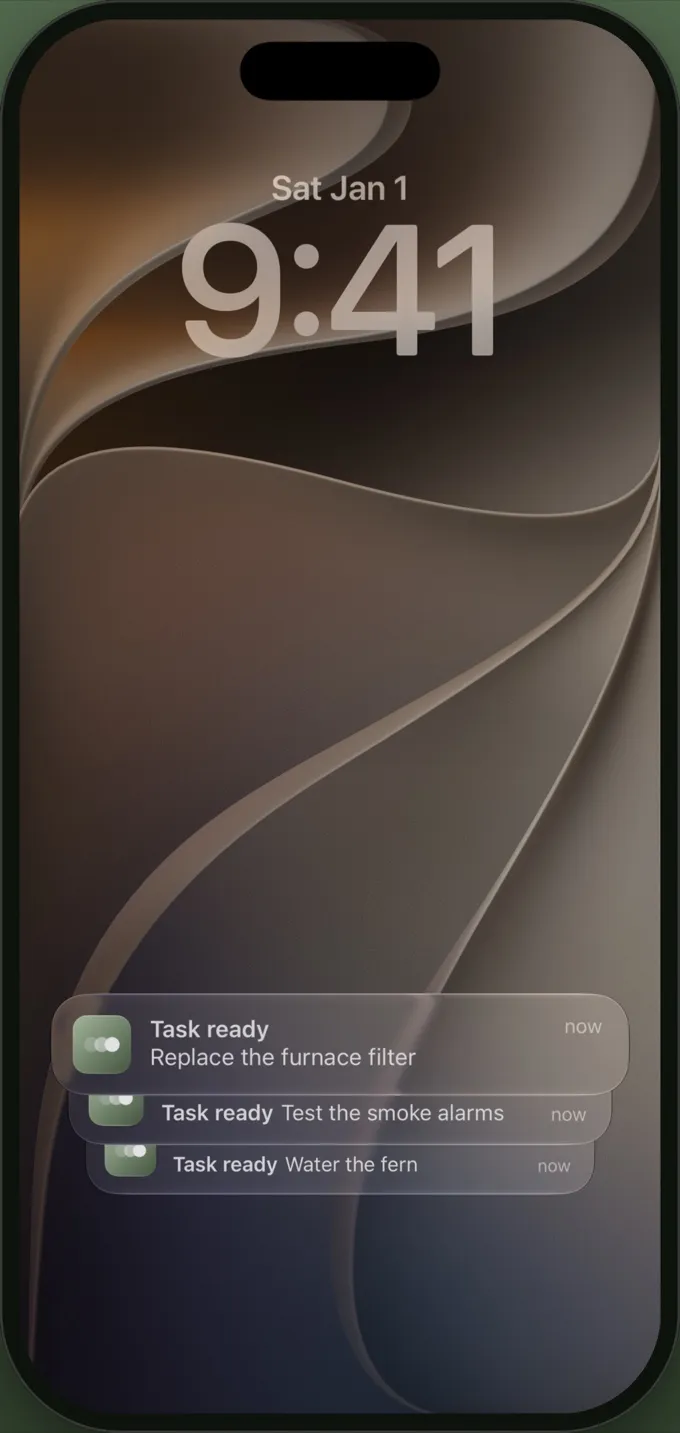
It stays quiet.
Only what’s ready stands out. Everything else fades until its time. Reminders arrive at the time of day you choose.
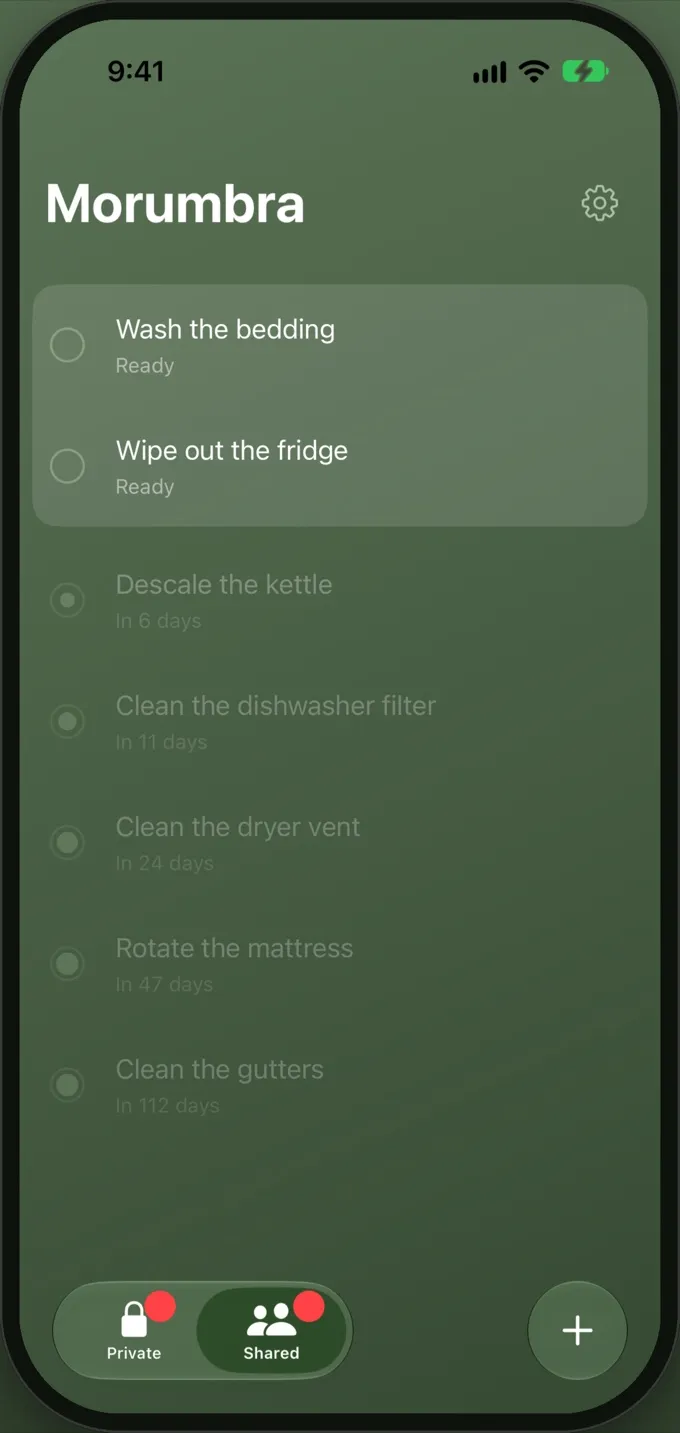
It’s small.
No account to create. Your tasks sync through your own iCloud. Share one list with the people you live with, and everything else stays private.
Privacy
Morumbra doesn’t collect any data. There’s no account, no analytics, and no tracking.
Your tasks are stored on your devices and in your own iCloud account, under Apple’s privacy policy. The developer can’t see them. When you share a list, the people you invite can see and change the tasks in it. Reminders are scheduled on your device.
This website doesn’t use cookies or analytics.
Last updated October 17, 2026.
Support
Questions, or something not working? Email [email protected]. Include your device and iOS version if something isn’t working.
- Does it work without iCloud?
- Yes. Your tasks stay on the device.
- How do I share?
- Invite people from Settings → Sharing, then move a task into the shared list from its task sheet. Tasks stay private until you move them.
- How do I stop sharing?
- The owner can remove people or stop sharing from Settings → Sharing, which makes the shared tasks private again. An invited person can leave the list.